Andina Deploy

Put your web apps on your own server, without the command line.

Andina Deploy is a Windows program that connects to your Linux server over SSH and takes care of domains, HTTPS certificates, PHP sites, Xojo web apps, databases and the firewall. You see what is configured, and every change is tested before it goes live.

Buy a licence

Windows 10 and 11. Debian and Ubuntu servers. Nothing to install on the server.

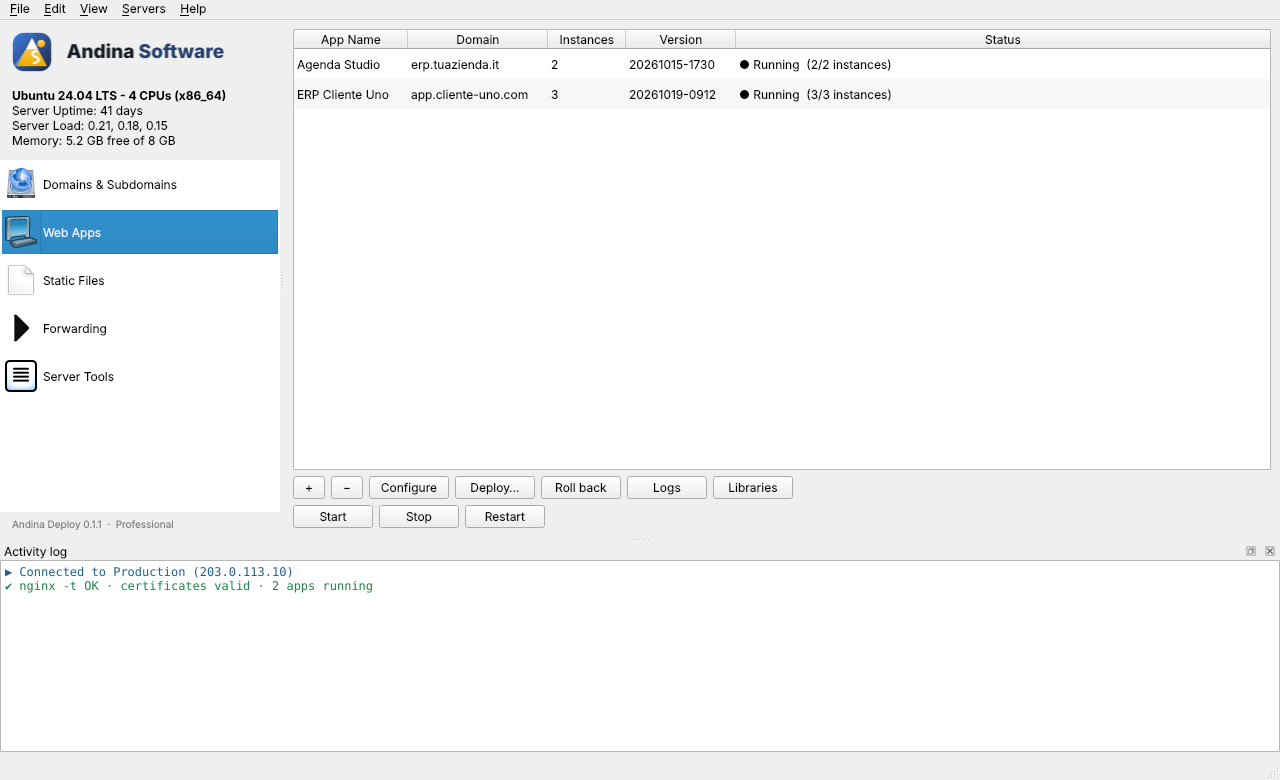
Andina Deploy, Web Apps page, two apps running with several instances each

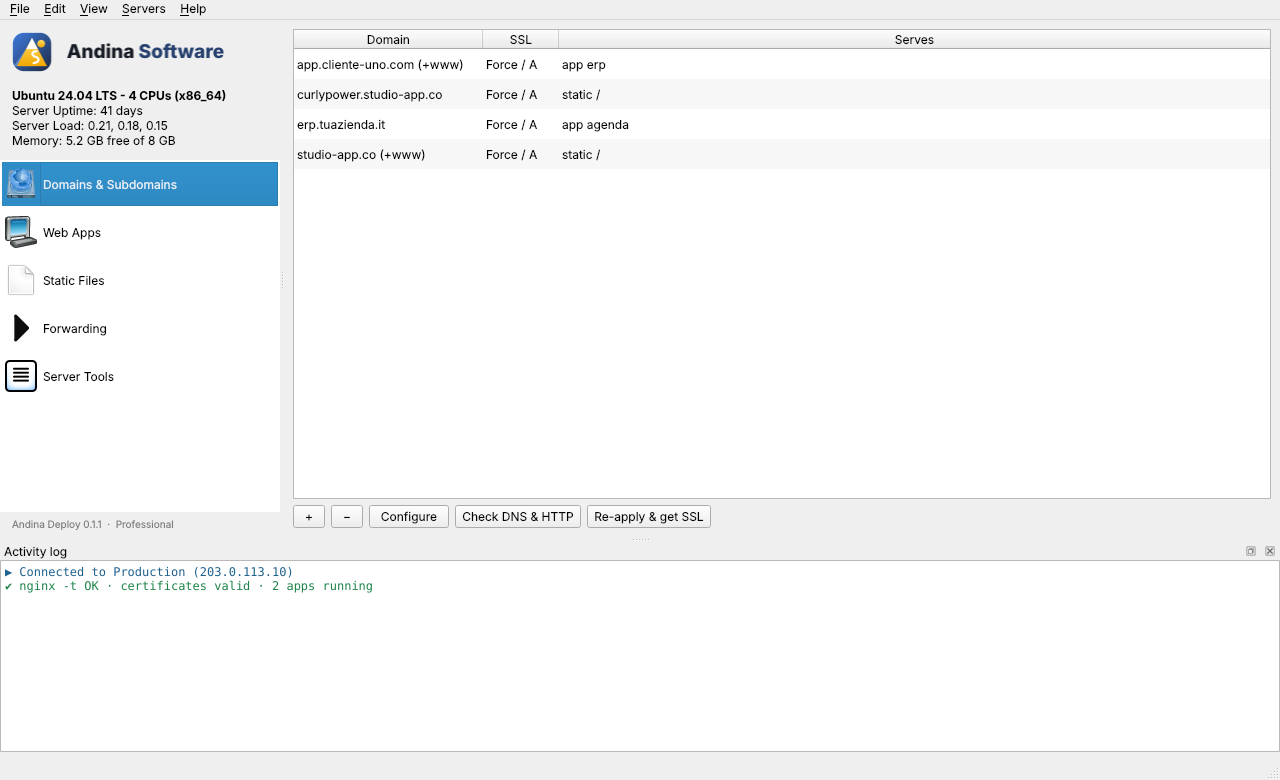
Every domain and its certificate in one list

Add a domain, choose how HTTPS should behave, and Andina Deploy asks Let's Encrypt for the certificate as soon as the DNS points to your server. Renewals are automatic. Use nginx or Apache; you can switch between them later.

Andina Deploy, Domains page with the list of domains

Deploy a web app, and go back if it fails

Drop the build folder of your Xojo web app (or any Linux program) on the window. It is uploaded, started as a service with as many instances as you want, and checked. If the check fails, the previous version is put back automatically.

Andina Deploy, Web Apps page, two apps running with several instances each

PHP and static sites with the right permissions

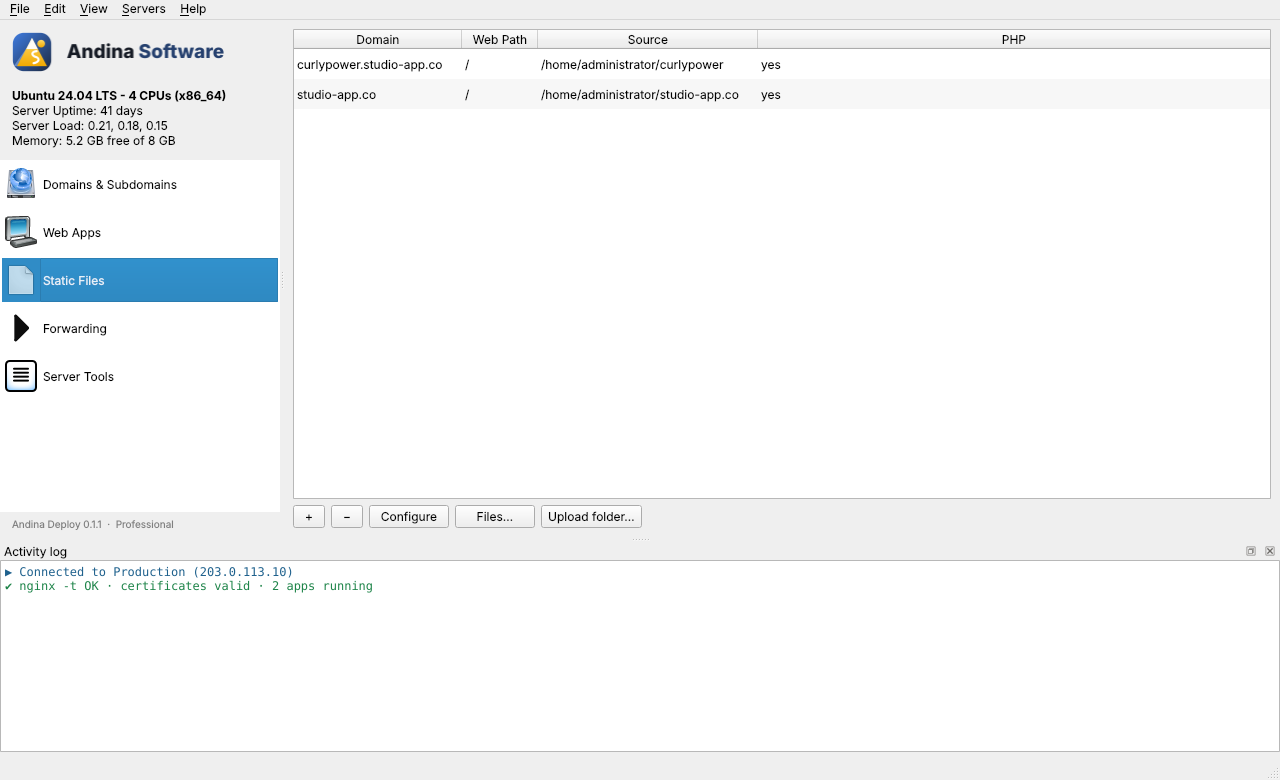
Upload a folder or a .zip, pick the PHP version and the public folder. Only that folder is served, so configuration files and keys stay out of reach. A file manager on the server shows owners and permissions and lets you change them.

Andina Deploy, Static Files page with two PHP sites

The rest of the server is in the same window

  • MariaDB and PostgreSQL: create, rename and drop databases and users. Passwords you create are kept in a vault on your computer.
  • Firewall, fail2ban, SSH keys, and a safe way to move the SSH port, with a check that you can still log in.
  • Cron jobs, PHP versions side by side, fonts for report generators, operating-system updates.
  • Reverse proxy with WebSocket support, and redirects to another address.
  • Already have a server set up with another tool? A read-only scan lists its sites, services and ports before you change anything.
  • Work from two computers: export your servers and settings to an encrypted file and import them on the other PC.

Changes you can trust

  • Before a web server reloads, its configuration is tested. If the test fails, the previous files are restored and the site keeps running.
  • Every file it replaces is copied to /var/backups/andina-deploy on the server first.
  • The state of the server lives on the server, so you can manage the same one from any computer.
  • SSH passwords are kept in the Windows credential store, and the server's host key is checked on every connection.

From a new server to a live site in three steps

  1. Connect with the host, SSH port and user of your server.
  2. Add the domain, and the site or app that answers on it.
  3. Upload the files. Andina Deploy applies the configuration and gets the certificate.

One licence, one year of updates

US$ 79 per year

Also € 75 or COP 299.000

Buy a licence Renew a licence

  • All updates released during the year
  • Unlimited servers
  • Use on 2 computers
  • Support by e-mail

After the year the program keeps working. You stop receiving new versions until you renew.

Ways to pay

  • Another way? Ask for an invoice and payment details

We confirm each payment by hand. The licence key reaches you by e-mail once the money is in, usually within one business day.

Questions

Which servers does it work with?

Debian and Ubuntu servers that you can reach over SSH with a user that has sudo. Andina Deploy sets up nginx or Apache, PHP, Let's Encrypt, MariaDB and PostgreSQL as you ask for them.

Do I need to install anything on the server?

No. It works over SSH and keeps its own settings in one file on the server, /etc/andina-deploy/state.json. It only writes and removes files whose names start with andina-.

Can I use it on a server I set up with another tool?

Yes. Connect as usual, then open Server Tools, Existing Setup, for a read-only list of what is already there. Nothing changes until you add something yourself.

What happens when the year ends?

The program keeps working with the version you have. To get newer versions, renew the licence from the link in the program or from this page.

Can I move the licence to another computer?

Yes. Deactivate it in the program on the old computer, then activate it on the new one. One licence covers 2 computers at the same time.

Can I try it first?

Yes. Without a licence the program works with one server, with no time limit.